How to delete a note?
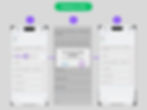
To delete an entry, simply swipe left on it. Look at the picture. A confirmation alert will appear next. To delete the entry, press "OK." However, please note that once deleted, the entry cannot be restored.
7 Views


To delete an entry, simply swipe left on it. Look at the picture. A confirmation alert will appear next. To delete the entry, press "OK." However, please note that once deleted, the entry cannot be restored.